Changelog
Latest updates, improvements, and fixes for AI Chat Navigator.
v1.6.2
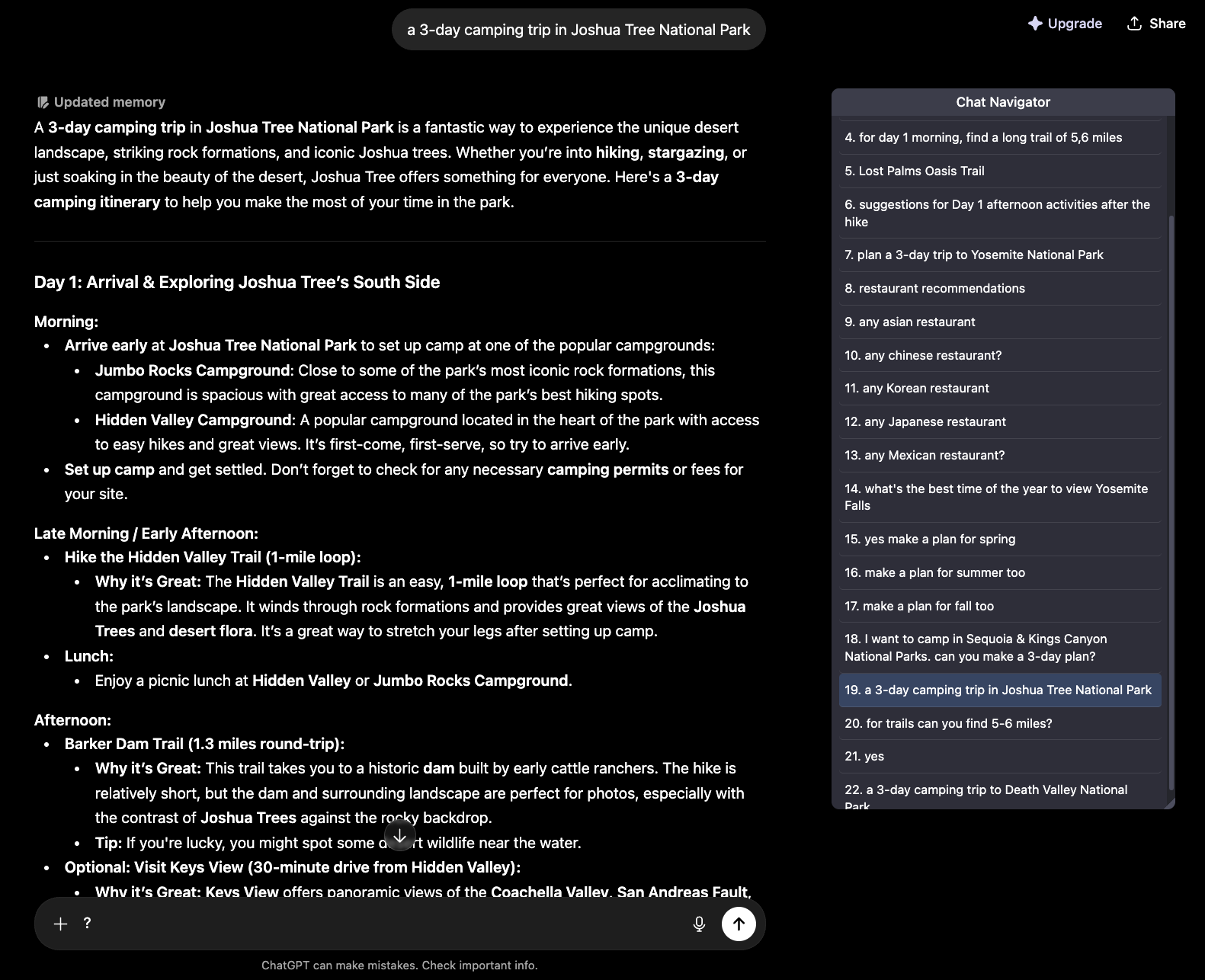
Customizable Navigation Panel Layout
New Features
- You can now move or resize the navigation panel once, and it will stay where you put it after refreshing the page or reopening the chat.
Improvements
- The navigation panel now keeps a fixed distance from the chat text area when the AI website's left panel is opened or closed.
- Saved panel layouts are kept per AI site and clamped to the current browser window, so the panel remains visible if your window size changes.
v1.6.1
Export Reliability Hotfix
Bug Fixes
- Fixed Markdown and PDF export on already-open chat tabs after installing, updating, or reloading the extension.
v1.6.0
In-Session Search, Prompt Highlighting & Mindmap Export
New Features
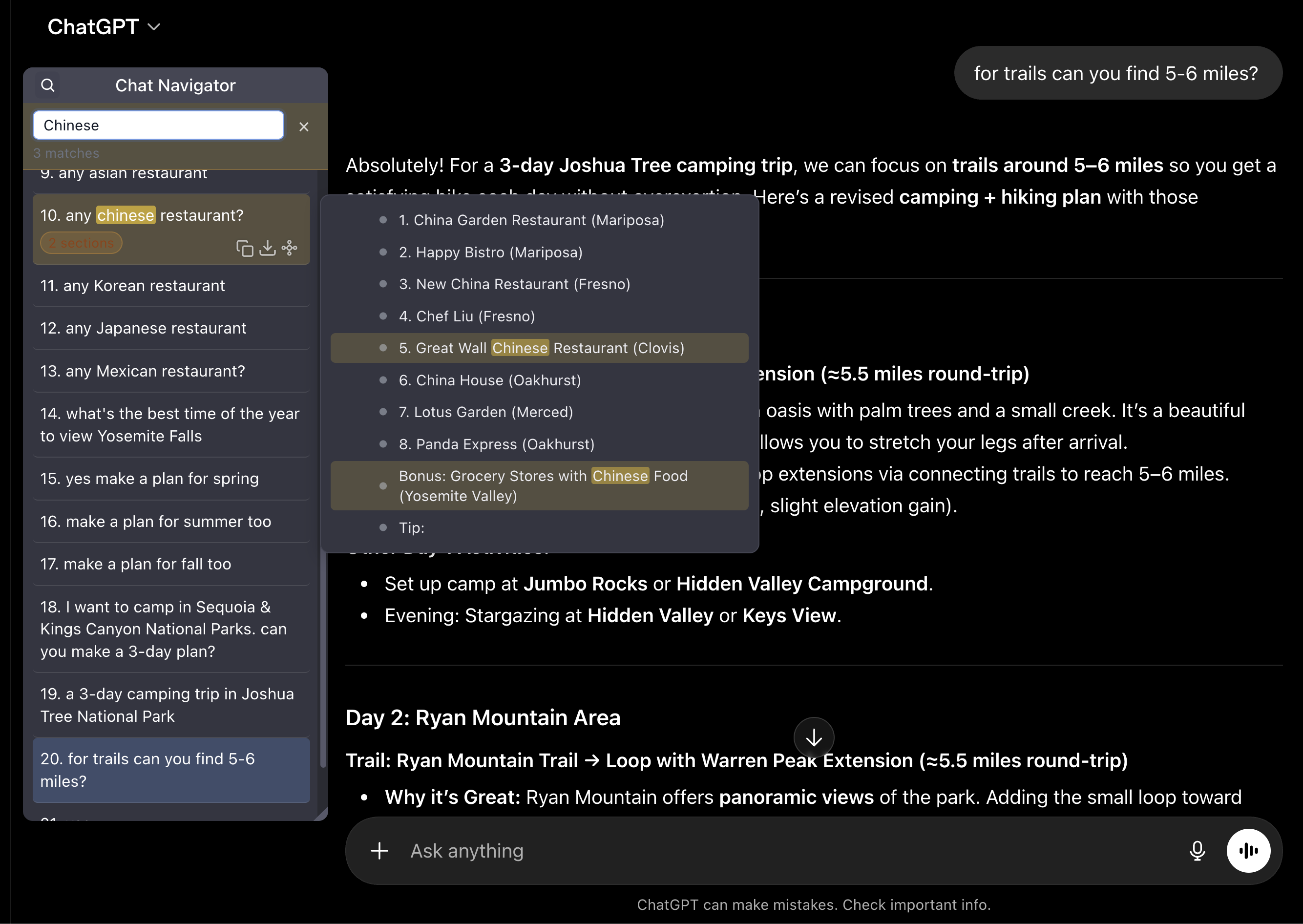
- Search the current conversation by keyword to instantly find matching prompts and response sections, highlighted right in the navigation panel.
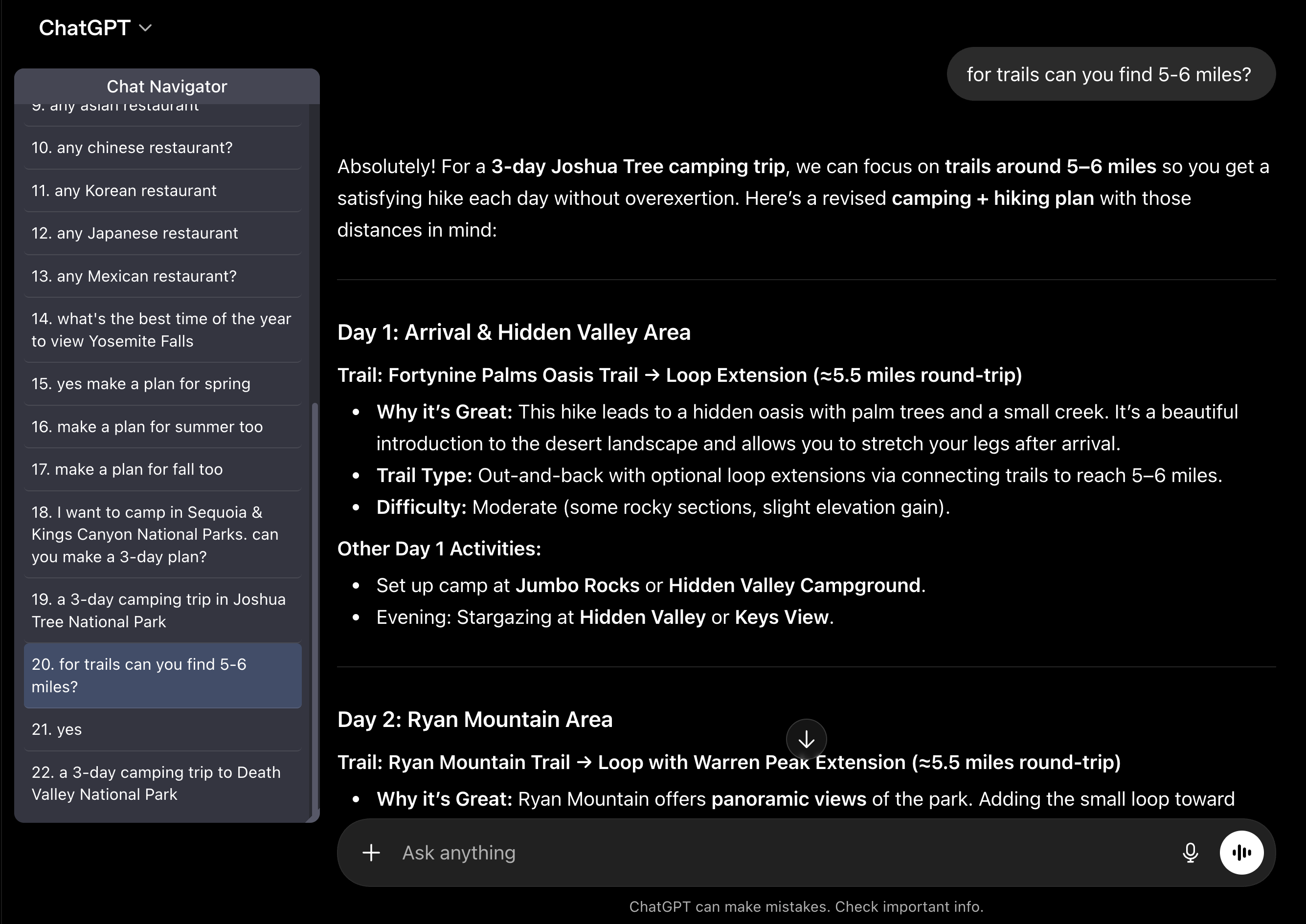
- The navigation panel now highlights the prompt currently visible in the chat, so you always know where you are in long conversations.
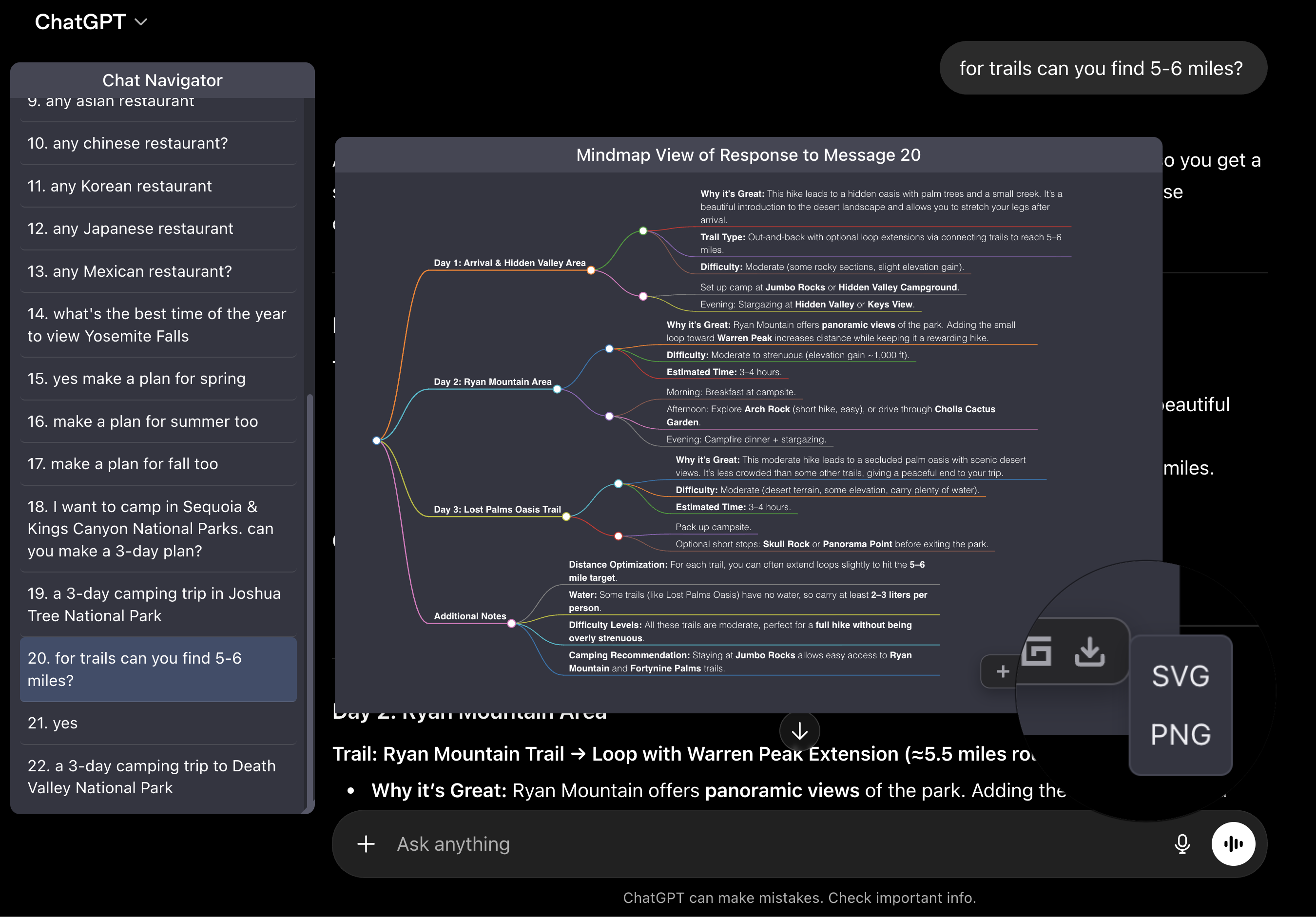
- Mindmap export now opens a format menu with SVG and PNG options, and both export the full map.
Improvements
- Added a first-install onboarding page that explains how to refresh already-open chat pages and show the panel from the browser toolbar.
Bug Fixes
- Mindmap SVG downloads now include the complete map instead of only the visible viewport.
- Made PNG mindmap export more robust on Trusted Types pages (such as Gemini) and across browser rasterization fallbacks.
v1.5.4
ChatGPT Panel Reliability & User-Controlled Opening
Improvements
- Added a '?' tips button on all AI website panels, making troubleshooting guidance easier to find beyond ChatGPT.
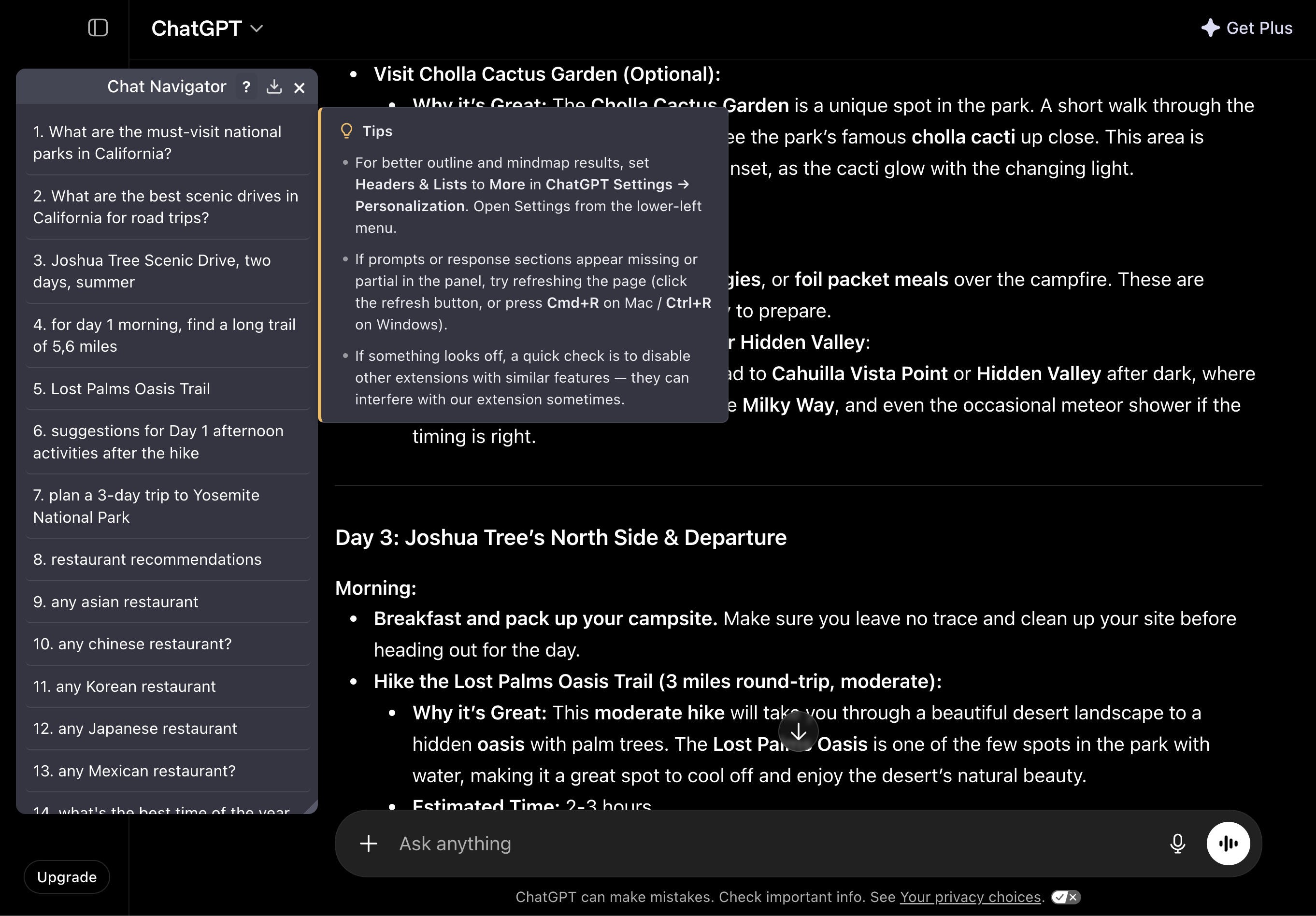
- Navigator now remembers your open/closed choice per site. If you close it, refreshing the page won't reopen it; use the browser toolbar icon to show it again.
Bug Fixes
- Updated the ChatGPT navigation panel to show the full prompt list in virtualized conversations, not only the prompts currently near the viewport.
- Fixed the ChatGPT response outline hover panel for off-screen responses.
- Fixed a content-script packaging issue so the built extension loads cleanly in Chrome.
v1.5.3
PDF Export Polish & Response Panel Fixes
Improvements
- Improved PDF export with cleaner titles, better Chrome print header formatting, stronger batch layout, and more reliable table-of-contents support.
- Batch PDF export keeps markdown structure better, so headings, lists, code blocks, and tables are preserved more reliably.
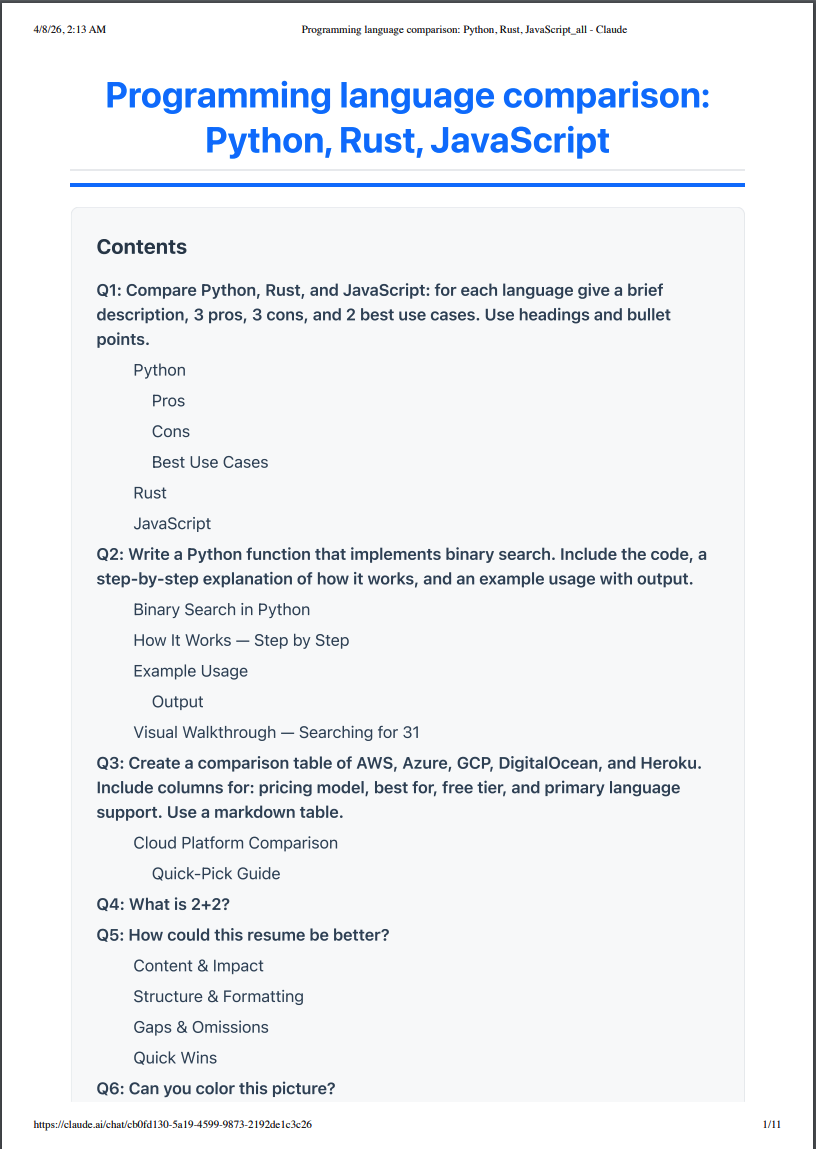
- Added button ? to the navigation panel header to open a lightweight ChatGPT help popup.
Bug Fixes
- Fixed ChatGPT response extraction when one answer is split across multiple markdown blocks.
- Fixed ChatGPT panel reopen behavior so panel sizing refreshes more reliably after reopening from the toolbar.
- Fixed Claude response-panel structure for answers that use bold section labels or contain embedded artifact UI.
v1.5.2
ChatGPT & Claude Selector Fixes
Improvements
- Fixed Claude input-box detection so the existing panel auto-sizing works again as the multi-line input grows.
Bug Fixes
- Fixed ChatGPT response pairing so response outline and mindmap work again on the latest page structure.
- Fixed Claude panel injection so the main navigation panel appears again on current claude.ai pages.
v1.5.1
Layout Polish & Fixes
Improvements
- Smarter layout: The navigation panel now automatically sizes itself so it never overlaps the chat input box.
- Tighter design: Adjusted the outline padding so text feels more spacious and readable.
Bug Fixes
- Fixed a mindmap icon alignment issue specific to Gemini.
v1.5.0
Response Outline & Language Expansion
New Features
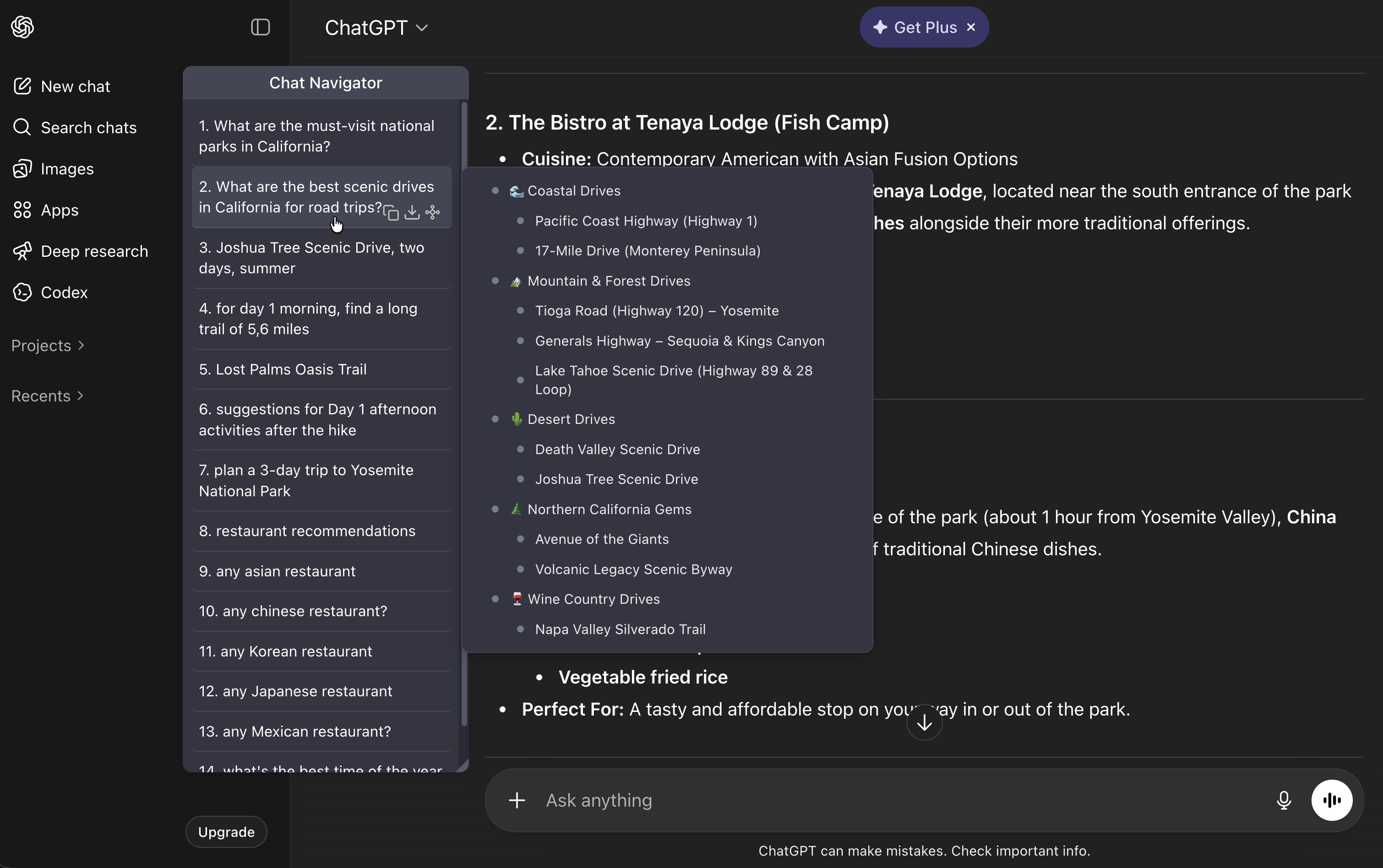
- Added hover sub-panel showing a structured outline for each AI response, making it easy to scan and jump to any response section.
- Added support for Portuguese and Russian languages.
v1.4.7
Major UX + Mindmap Reliability Update
New Features
- Expanded and stabilized Mindmap View for Claude, Gemini, and Perplexity.
- Added a Download All action to the Chat Navigator header, revealed on hover alongside Close.
Improvements
- Redesigned popup with one-click Download All format buttons (Markdown, Text, PDF).
- Improved default panel positioning so the panel stays close to the chat area without overlapping content.
- Mindmap window now auto-adjusts to fit rendered text content more naturally.
- Improved mindmap readability with larger text and wrapping for long lines.
- Improved first-run reliability by auto-retrying panel injection on already-open tabs.
Bug Fixes
- Hardened response extraction and pairing for Claude, Gemini, and Perplexity.
- Improved ChatGPT/Gemini label handling and added fallback for ChatGPT image-only responses.
- Fixed a theme-sync issue where the per-item action menu and mindmap menu could stay dark after switching to light mode.
v1.4.6
Auto-Refresh & Label Fixes
New Features
- Added a post-uninstall feedback survey.
Bug Fixes
- Fixed panel auto-refresh on ChatGPT and Qwen.
- Improved ChatGPT question labels: file.pdfQ -> Q(file.pdf).
v1.4.5
Panel Auto-Sizing & Fixes
New Features
- Improved localization support.
- Enabled automatic sizing for the navigation panel to better fit different screen widths.
Bug Fixes
- Fixed an issue where the sidebar panel would not appear on some pages.
v1.4.4
Stability Improvements
This release focuses on improving stability and reliability for all users.
Improvements
- Focused on English-language support for better reliability.
- Added helpful tips in the popup menu for troubleshooting.
Note: If the navigation panel doesn't appear immediately, simply refresh the page (Ctrl+R).
v1.4.3
Localization
New Features
- Initial support for 9 languages.
v1.4.0
Major Upgrade
A significant update introducing universal features and expanded platform support.
New Features
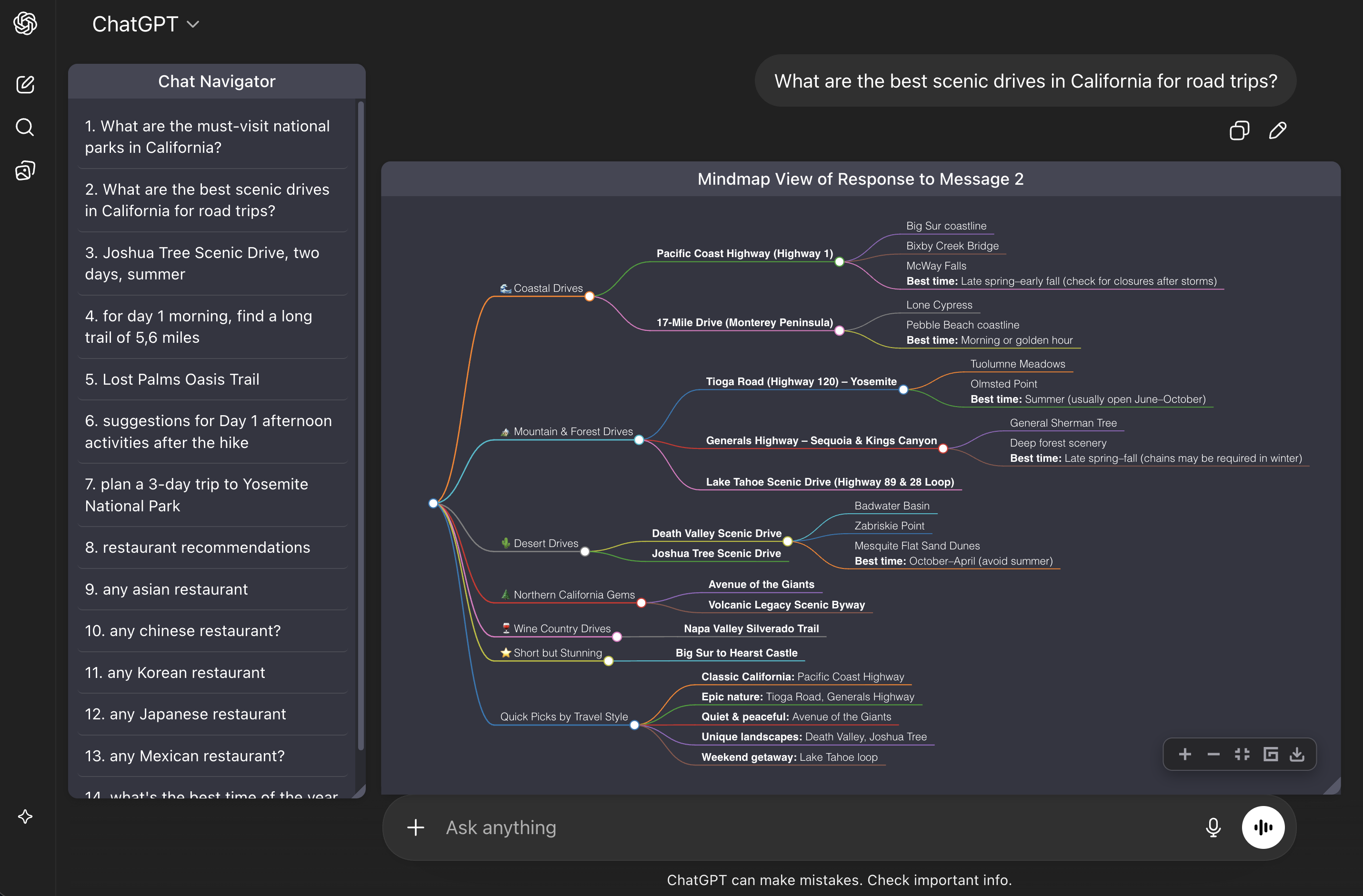
- Mindmap visualization for conversations.
- Universal copy and export options.
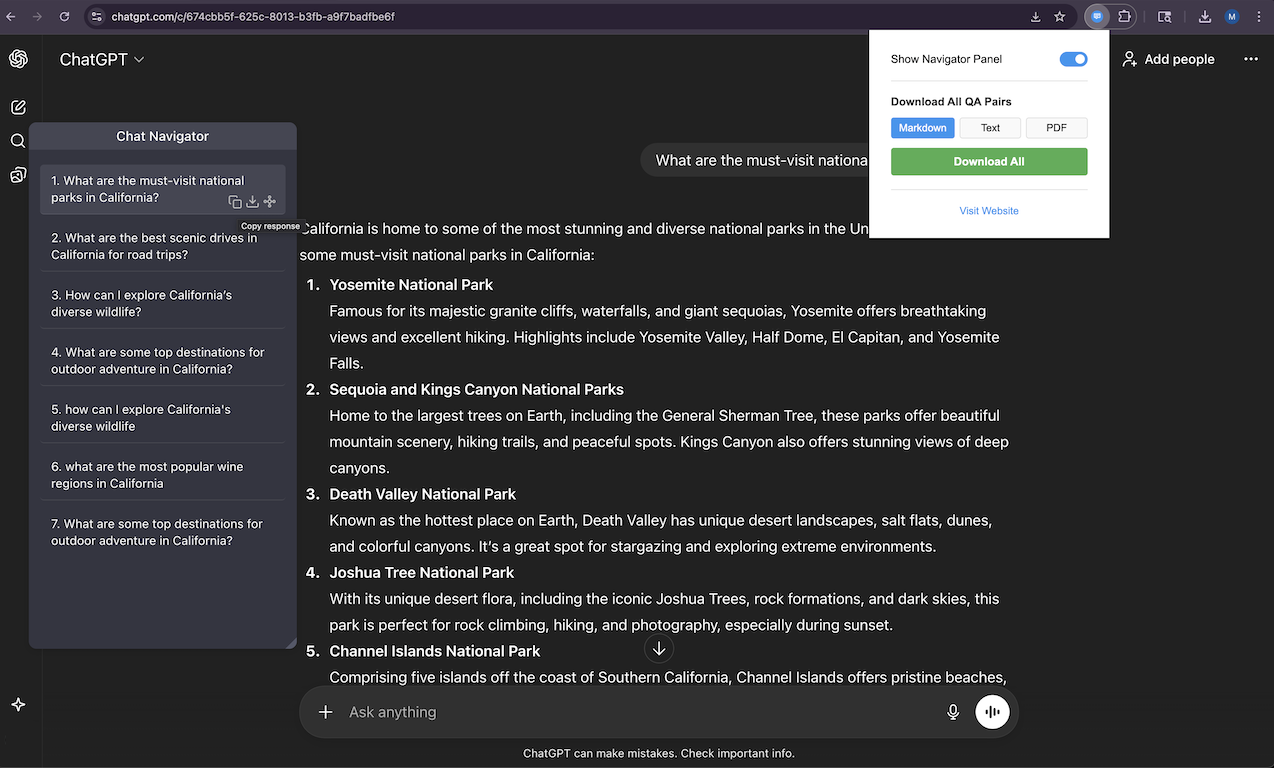
- Expanded support for Perplexity, Gemini, and Qwen.
- Panel color now adapts to the display theme.
v1.3.0
Grok Support
Expanded the ecosystem to include xAI's Grok, cementing status as the universal navigator.
New Features
- Added support for xAI's Grok.
v1.2.0
DeepSeek Integration
Added support for DeepSeek just as it started gaining traction, staying ahead of the curve.
New Features
- Added support for DeepSeek.
v1.1.0
Multi-Platform Launch
First public release supporting both ChatGPT and Claude. The cross-platform vision becomes reality.
New Features
- First public release supporting both ChatGPT and Claude.