Behind the UI: Designing AI Chat Navigator for Focus and Clarity
AI chats are powerful, but long sessions become hard to navigate. You remember the answer exists, but not where. This UI was designed to keep scanning fast and detail access intentional.
Built for power users, researchers, and anyone who revisits long chat sessions and needs to find specific answers quickly.
The Design Principle: Minimalism + Progressive Disclosure
The rule is simple: show only what is needed at each step. The interface starts with a high-level map of the conversation, then reveals structure and detail only when the user asks for it.
Three-Panel Architecture
The interface is split into focused panels so each task stays clear:
- Main navigation panel: scan the full thread and jump fast.
- Response outline panel: inspect one response structure in detail.
- Response mindmap panel: view complex answers spatially.
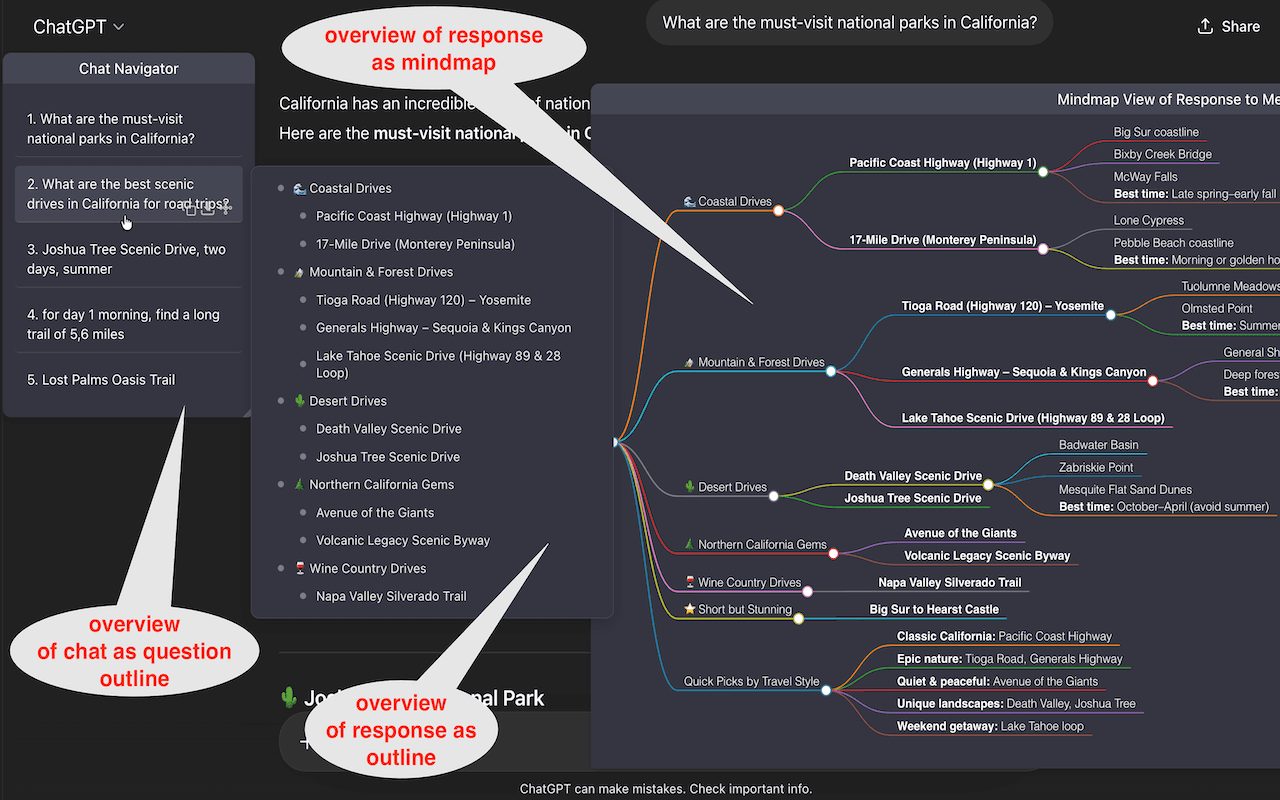
Main Navigation Panel: Fast Scanning, Low Clutter
Each prompt is capped at 200 characters. This keeps each line informative enough to identify intent while keeping list density high. The tradeoff is deliberate: maximum scan speed over full in-list verbosity.
Primary controls are contextual. Batch actions stay in the header, and per-item actions appear on hover. This reduces baseline clutter and lowers accidental clicks.
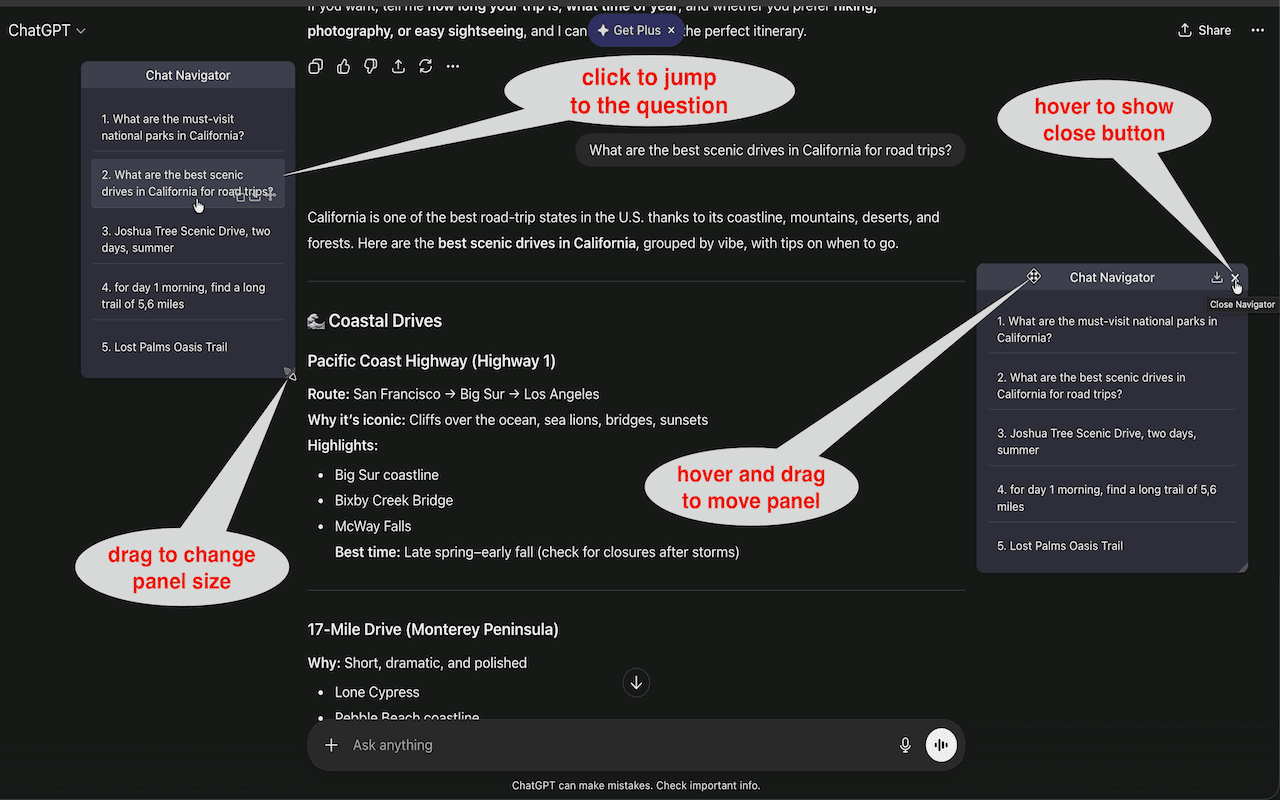
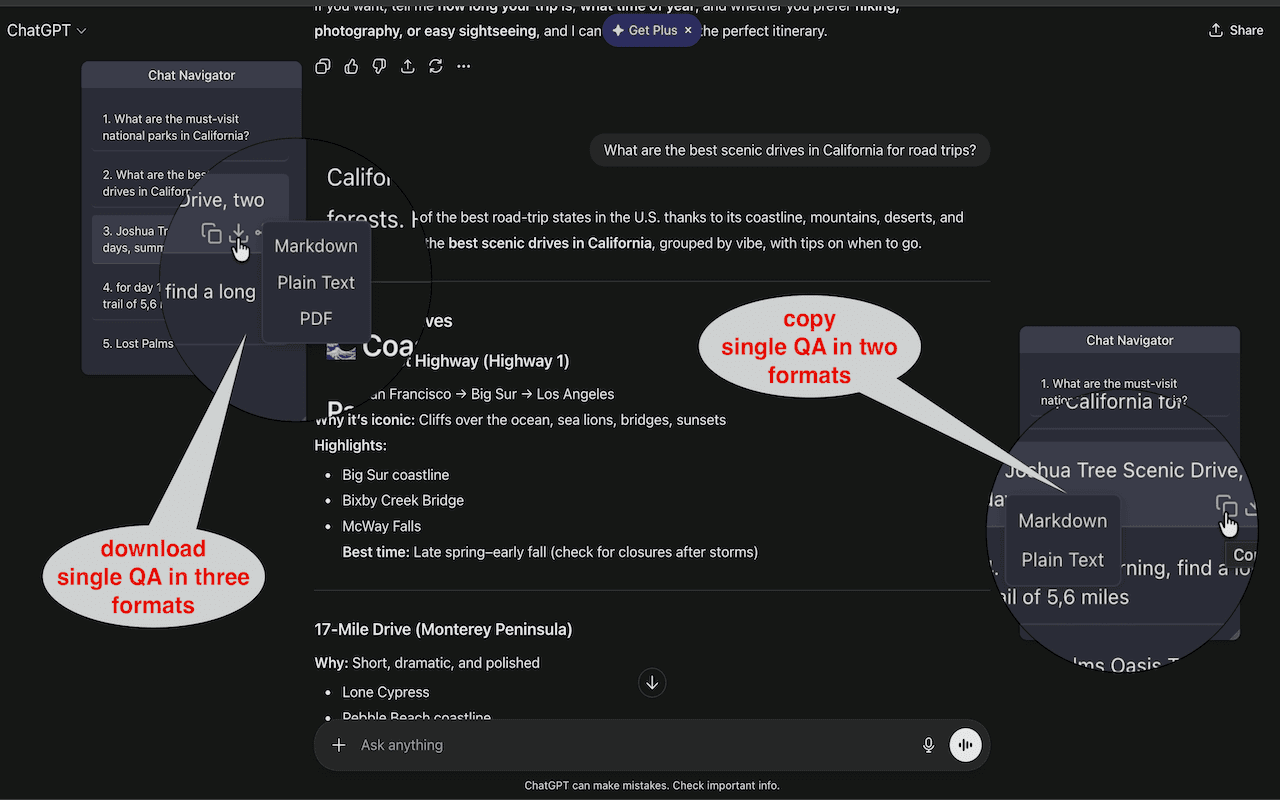
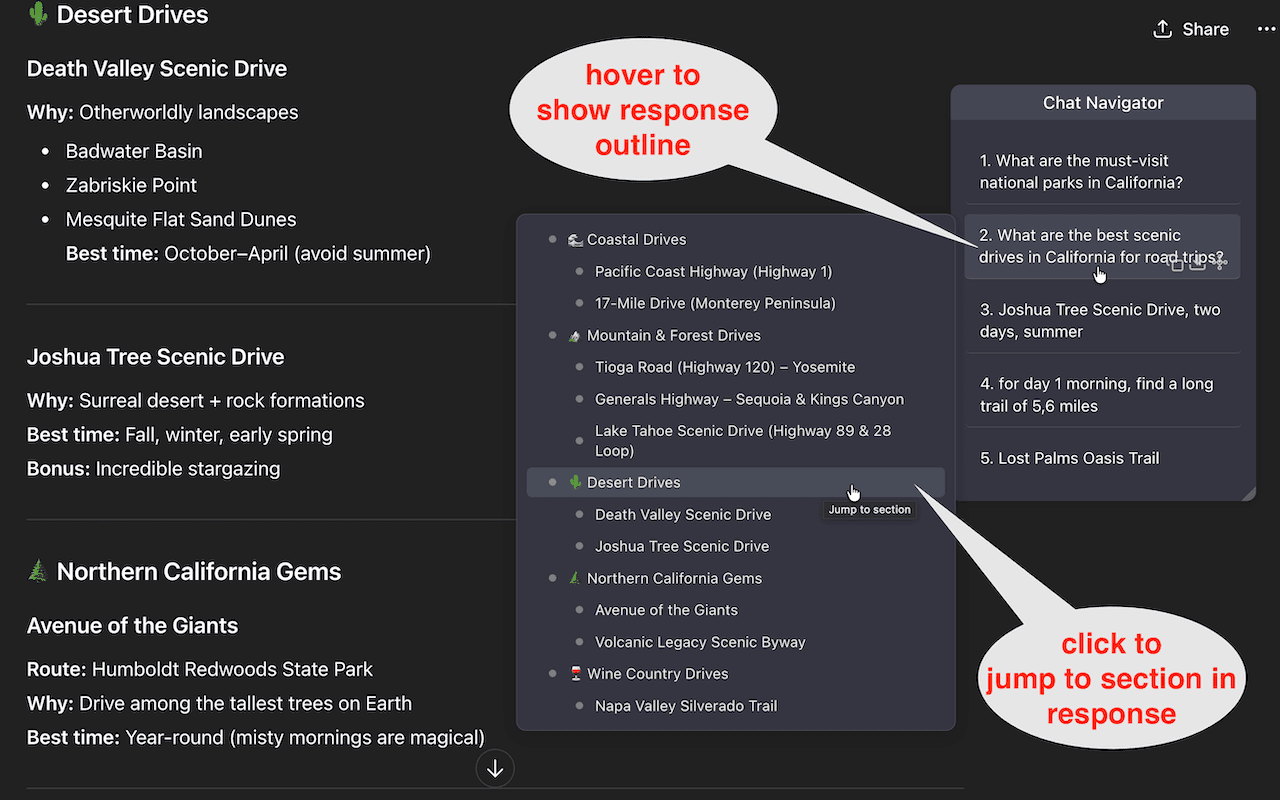
Response Outline Panel: Focused Detail on Demand
Instead of nesting response structure under every list item, the outline opens in a dedicated panel. This avoids cramped text blocks and repeated expand/collapse friction.
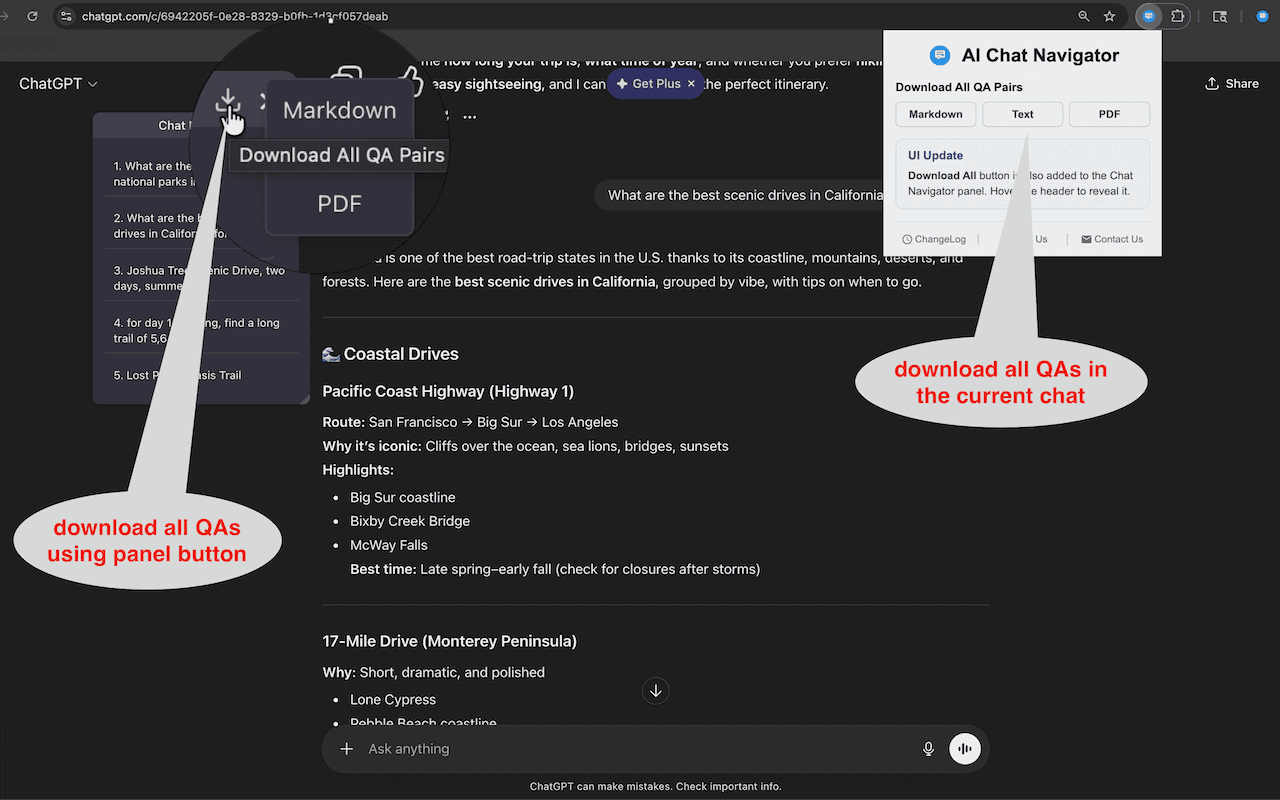
Batch Export Flow
The "Download all" action is intentionally elevated in the panel header for quick batch workflows. It supports users who move chat output into docs, notes, or reports as part of daily work.
A Real Usage Scenario
Returning to a 200-message chat and finding one specific answer section in under 10 seconds.
That is the standard this design targets. Overview first, then detail, without forcing repeated manual expansion or long blind scrolling.
Linear + Spatial Reading Modes
The outline and mindmap panels serve different cognition styles:
Best for linear readers who want section-by-section navigation.
Best for spatial readers who prefer structure as a visual graph.
Try It on Your Longest Thread
Open your longest AI chat session and compare retrieval speed with and without structured navigation.
Add to Chrome Free